

Screens and navigation
Start with your question, then use the matching area. The selected tenant, lane, filters, and your permissions affect the records and controls you see.
The top navigation puts Actions and Sequences under Library. Open Policies for policies and composite policies, and Entities for lane-specific work.
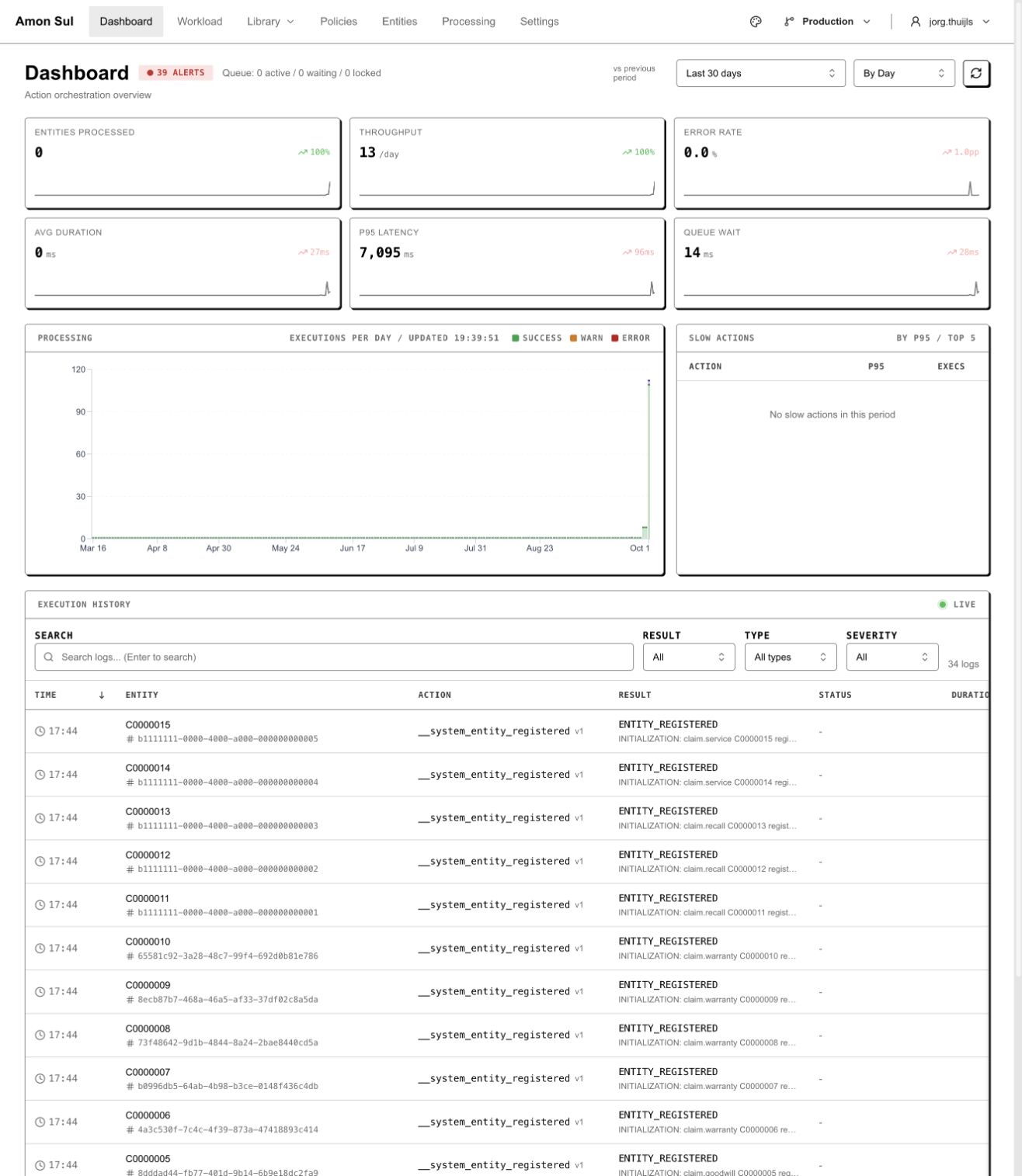
The local dashboard combines queue context, processing summaries and history. Keep the selected lane with the record or execution you are investigating.
| Area / route | Use it to | Context |
|---|---|---|
Dashboard /dashboard |
Orient yourself in the tenant | Overview |
Actions /actions |
Define one CALL, CHECK, CODE, or ODATA operation and its contracts | Shared definitions |
Sequences /sequences |
Connect action references and input mappings | Shared definitions |
Policies /policies |
Configure status-based sequence availability and outcome routing | Shared definitions |
Composite policies /composite-policies |
Combine policy tracks and cross-track dependencies | Shared definitions; feature gated |
Entities /entities |
Browse entity types and their policy assignments | Active lane |
Entity type /entities/:type |
Inspect one type’s entities and configuration | Active lane |
Entity /entities/:type/entity/:id |
Inspect status/tracks, offered work, and execution history | Entity’s lane |
Action Log /action-log/:id |
Read one execution’s inputs, outputs, and outcome evidence | Execution context |
Processing /processing |
Inspect active processing | Active execution context |
Workload /workload |
Review definition changes and dependency publication work | Shared definitions |
Record detail routes use UUIDs. Obtain the Action Log link from an execution; an entity UUID is not an action-log UUID. An action absent because of role permissions is a different condition from an offered sequence whose prerequisites are unmet. Read any blocked reason before attempting the sequence.
Read a policy’s sequence mappings
Section titled “Read a policy’s sequence mappings”Open the policy’s Flow Editor, then find Status → Sequence Mappings below the diagram. Expand a status to see the sequences it offers. The current table separates Sequence, Code, Steps, Outcome, Technical failure and Version. The sequence name helps you recognize the work; its code identifies the definition, and its step count describes the action references in that sequence. Read outcome routing separately from technical failure handling before changing the policy.
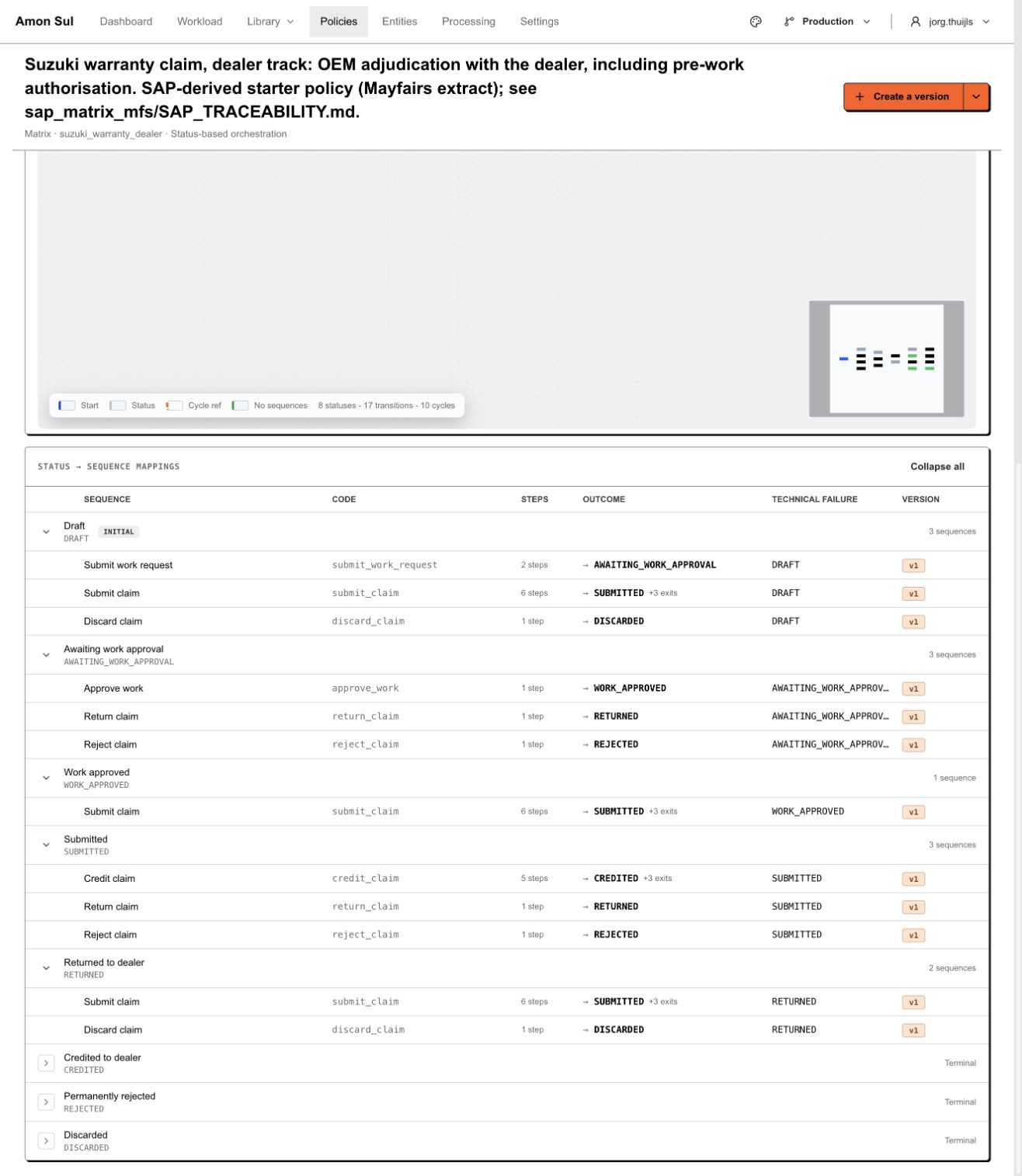
The local dealer policy offers different sequences at each status. Outcome and technical failure are separate columns; a successful execution need not mean that every business condition passed.
Settings
Section titled “Settings”The Settings hub groups links by purpose. Its registered sections are:
| Section | Screens |
|---|---|
| Workspace | Appearance /settings/appearance; Branding /settings/branding; Lanes /settings/lanes |
| Integrations | External Systems /settings/external-systems; Webhooks /settings/webhooks; Webhook Deliveries /settings/webhooks/deliveries; Integration Traffic /settings/integration-traffic |
| Access | API Keys /settings/api-keys; Users & Access /settings/users |
Use Users & Access for workspace invitations and local role assignments. WorkOS organisation membership and the active local account are required in addition to authentication. Product roles remain separate from any shared identity in Fleetlane. See sign-in and workspace access for the sign-in and recovery flow. Authentication emails are sent by WorkOS; external-system and webhook settings do not configure them.
External-system and webhook settings use the active lane. An API key carries its own authenticated lane; switching the browser lane does not change a machine request’s authority. Definitions stay shared when you switch lanes.
For a result missing in another product, use entity history, Integration Traffic, and Webhook Deliveries in order to locate where progress stopped. See troubleshooting.